The short answer
What this setting controls
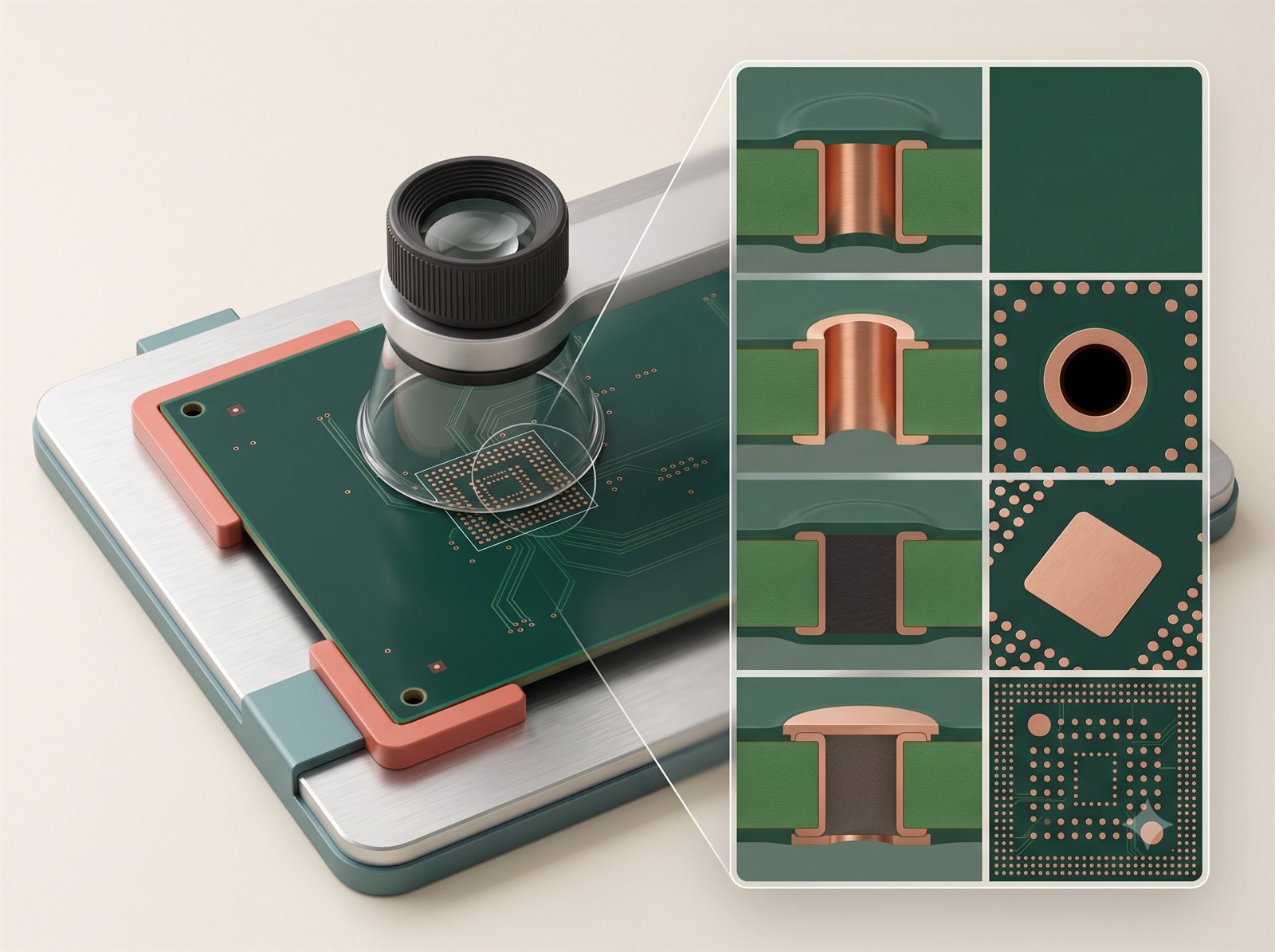
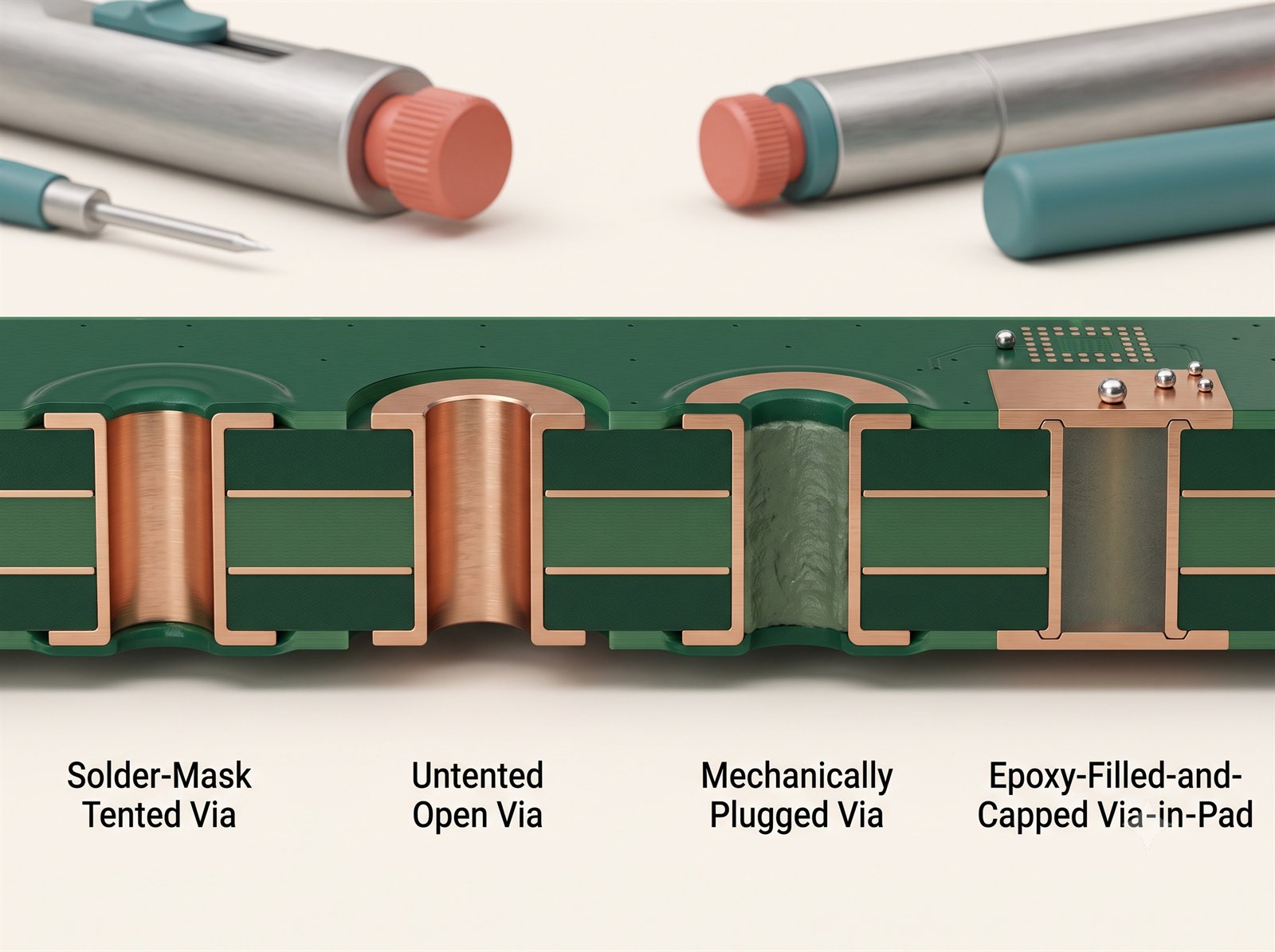
Tented vias are covered by solder mask and are a common default. Untented vias leave the opening accessible. Plugged or filled-and-capped vias are used when a flat, sealed surface is needed.
Choose with via-in-pad, thermal relief, solder wicking, impedance, heat transfer, reliability and inspection in mind. Filled and capped processes require compatible drill, fill and planarisation controls.
Options in the order form
How the available choices differ
| Choice | Use it for | Engineering note |
|---|---|---|
| Tented | General vias under solder mask | Mask covers the opening; it is not a structural fill. |
| Untented | Exposed, solderable via annulus | Can wick solder when close to SMT pads. |
| Plugged | Reduce open-hole contamination or solder movement | Plug quality and via diameter limits matter. |
| Epoxy filled and capped | Via-in-pad and planar solder surfaces | Creates a filled, planar, plated surface suitable for dense parts. |
| Copper-paste filled and capped | Thermally conductive via filling | Use when the thermal model specifically benefits from the fill system. |
Compatibility
What can change with this selection
- High-layer and special-material builds may rename or restrict options.
- The chosen covering is part of the manufacturing process, not just a cosmetic setting.
- Via covering must agree with via-in-pad use, solder-paste openings and the intended surface finish.
Practical recommendation
How to make the decision
- Use Tented for ordinary routing vias away from pads.
- Use a filled/capped path for via-in-pad or when a flat solderable surface is required.
- Check the board preview and assembly land pattern before selecting an advanced treatment.
Before release
Check these points before adding the quote to cart
- Confirm the selected value matches the released Gerber, drawing, stack-up, BOM or assembly plan.
- Review any fields that changed automatically after this selection.
- Check the board preview and latest estimate before adding the quote to cart.
- Use Tented for ordinary routing vias away from pads.
- Use a filled/capped path for via-in-pad or when a flat solderable surface is required.
- Check the board preview and assembly land pattern before selecting an advanced treatment.
Frequently asked questions
Answers for ordering and design review
Should every via be tented?
No. Thermal, test, RF and via-in-pad needs can call for different treatment.
Is a tented via the same as a filled via?
No. Tenting is solder-mask coverage. Filled and capped constructions place material inside the hole and can create a planar plated surface.
Why is an option disabled?
The current material, geometry, layer count, quantity or another selected process makes that combination unavailable. Change the controlling selection or revise the design package rather than trying to bypass the disabled state.
Can I rely on the online choice as final manufacturing approval?
No. The interface screens known combinations and requests pricing, while final manufacturability remains subject to the released files and technical review.
What should I record outside the order form?
Put controlled requirements in the fabrication drawing, assembly drawing, stack-up, BOM or acceptance plan. Use Special instructions only for a concise pointer to that controlled requirement.
Will changing this update other selections?
It can. The order form re-evaluates compatibility and may replace a now-invalid dependent choice before updating the quote. Review every highlighted or automatically changed field.
What if the design requires an option that is not offered?
Do not approximate it with a different label. Recheck the controlling material and geometry, document the actual requirement, and request technical review before placing the order.
Further reading
Standards and technical references
Use the latest applicable revision and your organisation’s controlled requirements when a standard forms part of product acceptance.
- IPC design standards overviewIPC — Rigid, flex, HDI, RF and current-carrying design-standard families.
- TI high-speed layout guidelinesTexas Instruments — Return paths, layer transitions, vias and transmission-line effects.
- IPC-4761 via-protection guideIPC — Terminology and design intent for via protection, filling and capping.